
How it works
Using our app
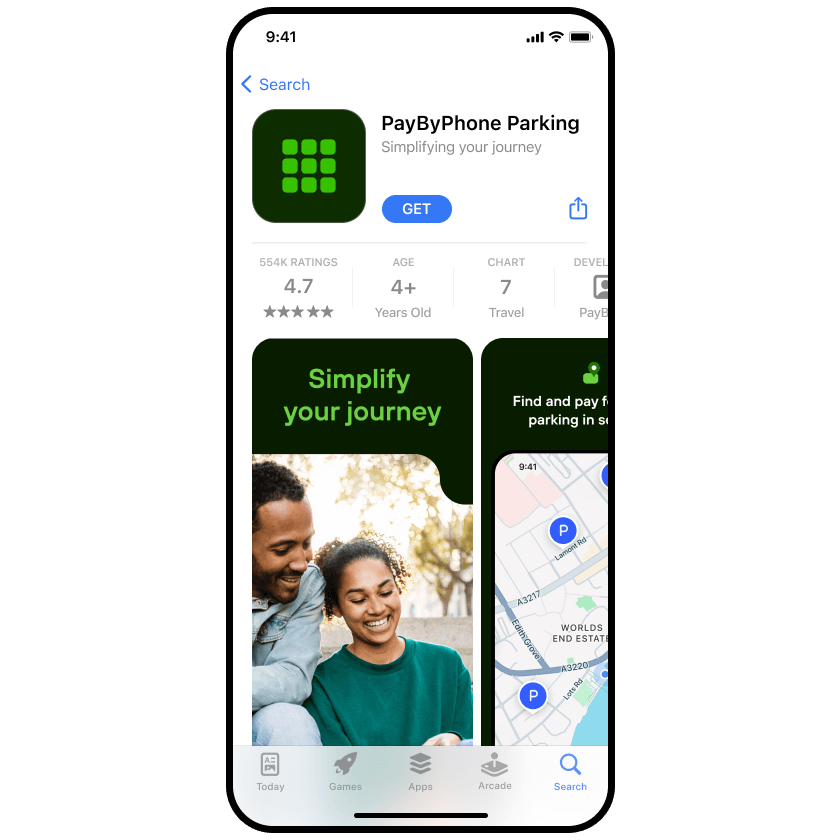
1. Download the app
Download the app from the Google Play, App Store or Huawei store.
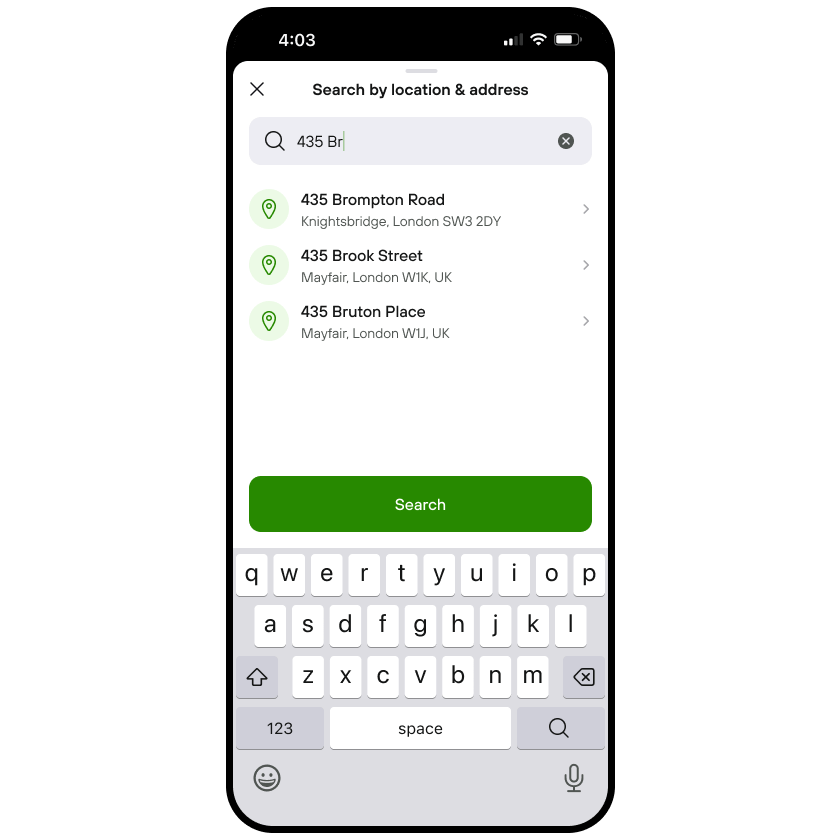
2. Enter location number
In the app, enter the location number of where you have parked, which you can find on parking signage.
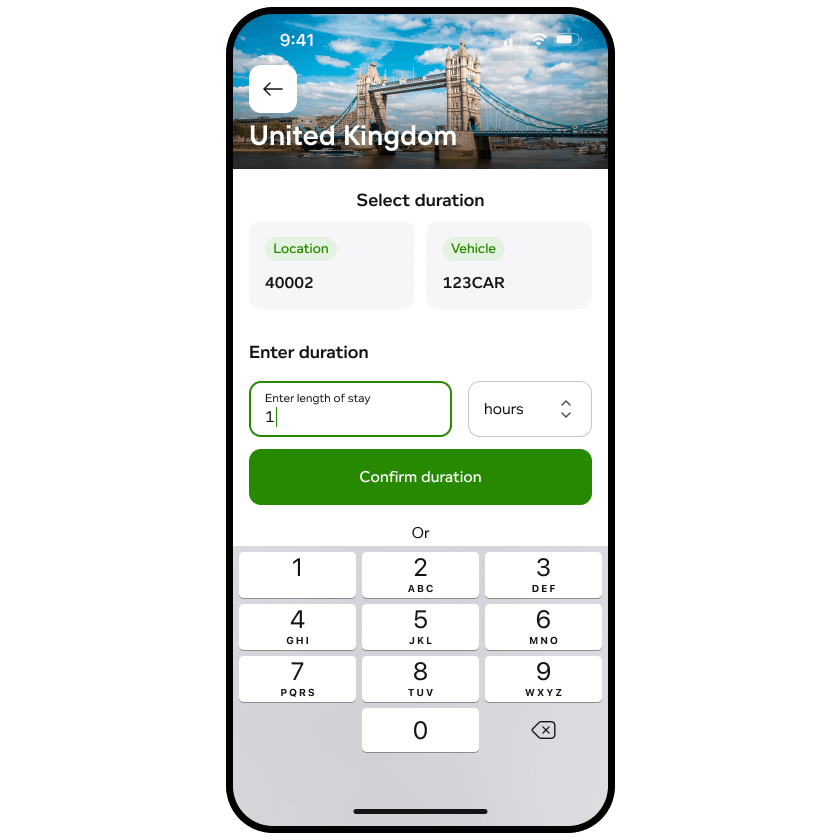
3. Enter parking duration
Next, add how long you wish to park for. Check the details, then confirm your selection.
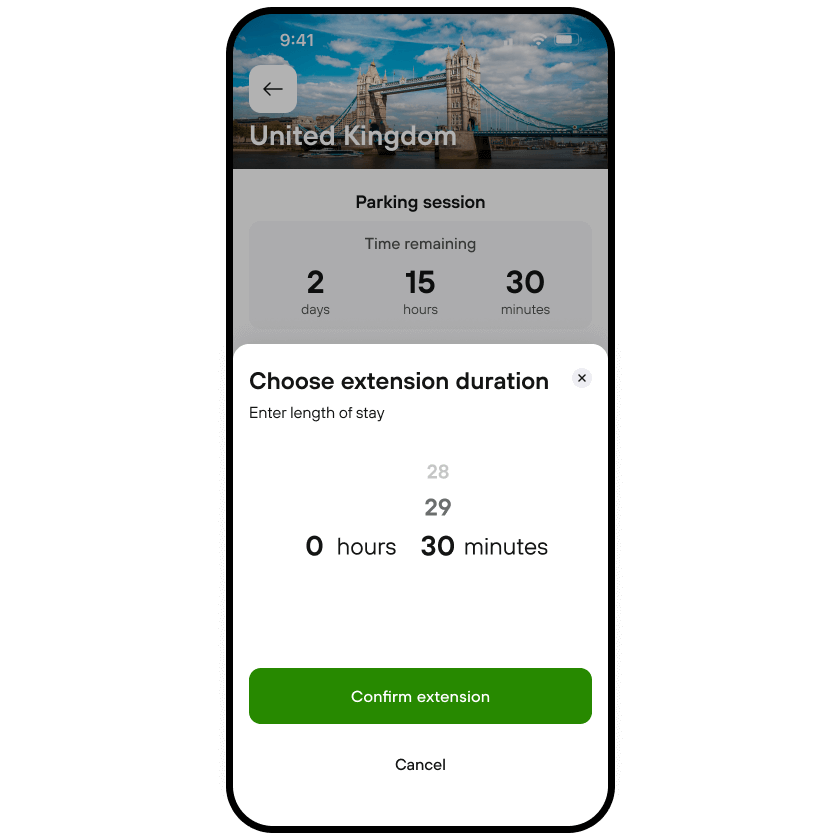
4. Extend your parking session anytime
Add more time to your parking session in-app from wherever you are without having to rush back to your car.
Opt-In for AutoPay
Note: As part of the AutoPay service, PayByPhone may provide a QR code for entry or exit at participating parking facilities.
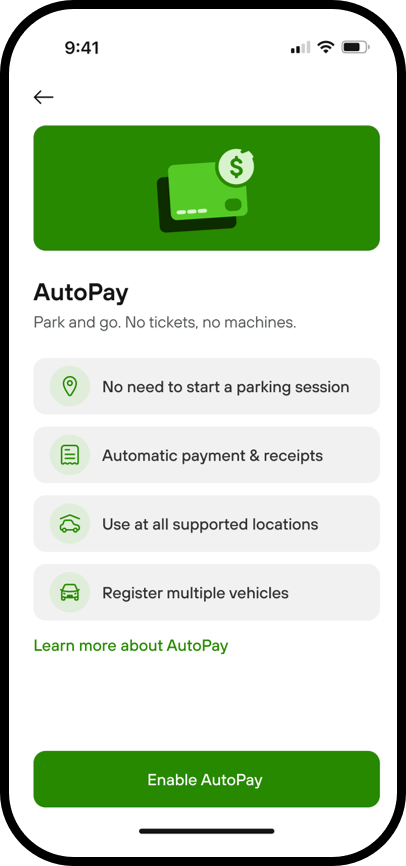
1. Go to your 'Account'
Tap the 'AutoPay' icon and click the button to 'Enable AutoPay'
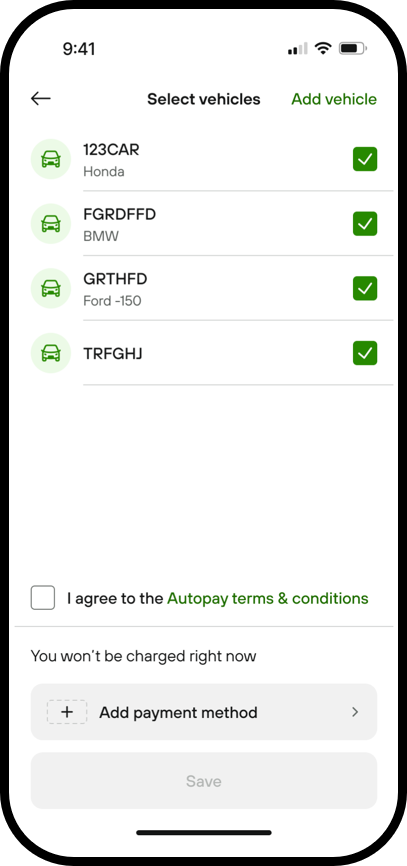
2. Select your vehicles
Tick the vehicles you want to enable AutoPay for
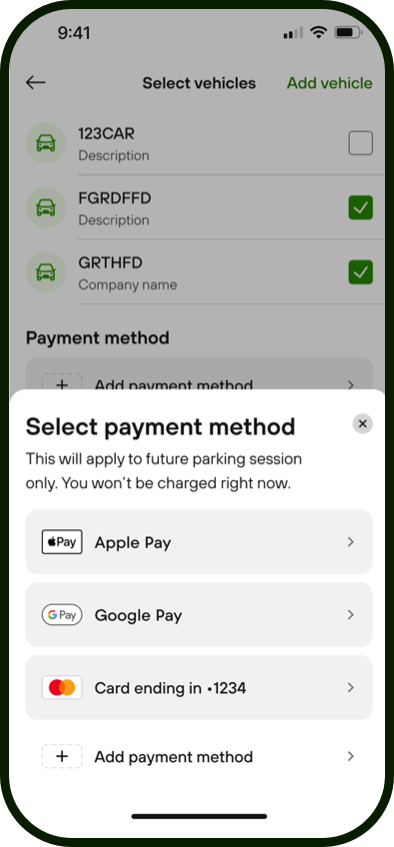
3. Add payment method
Tap 'Add Payment Method' and choose an existing card or add a new one
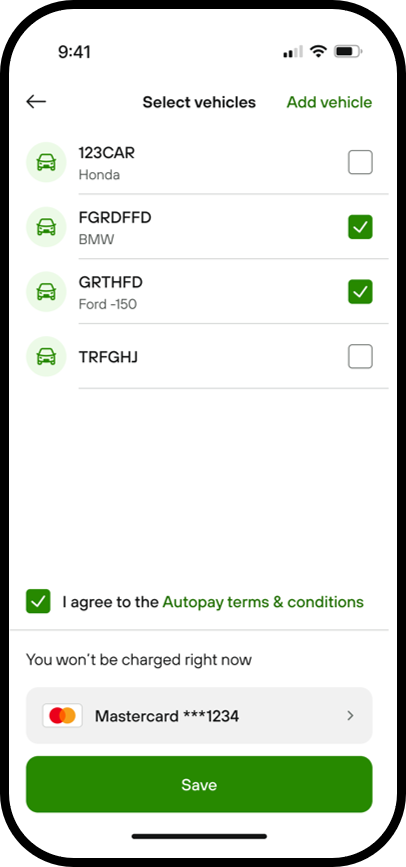
4. Agree terms
Agree to the terms and conditions and tap 'Save'. Enter your CVV. And you’re all set
Pay for your parking by calling us
1. Call our automated payment line
Call the PayByPhone service number that is displayed on parking meters and signage where you park.
2. Respond to the prompts
Existing account holders will be prompted to enter the four- or five-digit location number and parking duration required. New users will be guided through a registration process
3. Wait for parking to be confirmed
Once you have had confirmation that your parking has started, you may leave your vehicle.
4. Extend your parking anytime
Simply call the number you dialed in Step 1. Your account will be recognized, and you will be given the option to extend your parking session or to start a new one.